ORBIS CALCULATOR SUITE · VOXEL SANDBOX RPG
Hytale Calculators
Hytale Weapon DPS, Resource Finder, Combat Auditor
Plan your Hytale builds with transparent calculators for damage, crafting cost, and resource routing across Orbis.
Assumptions are labeled and updated as official data lands.
Calculator Directory
Open the full calculator pages for methodology, examples, and decision guidance.
Hytale Class Identity Quiz
Answer 8 quick Hytale questions to reveal your true archetype in Orbis.

Gaia Vanguard
You are the shield of the weak, sworn to Gaia and the Emerald Grove. In heavy armor with a warhammer, you turn chaos into calm.
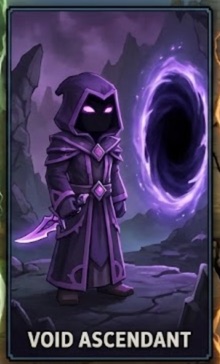
Void Ascendant
You walk the edge of corruption, drawing power from the Void to strike where others fear. Stealth and risk are your allies.

Storm Weaver
You are the storm given form, channeling wind and lightning with surgical precision. A glass cannon who reshapes the battlefield.

Wilds Stalker
You read the wilds like a map, guiding arrows with calm focus and patience. Ferans respect your hunter's instincts.
Why Use the Hytale Calculators
Clear assumptions, consistent formulas, and quick comparisons for Orbis planning.
Transparent Methodology
Every formula is shown so you can validate Hytale results and tune inputs.
Weapon Planning
Compare DPS, durability, and cost before crafting or upgrading.
Resource Routing
Pick efficient zones and depth layers for your next farm route.
Combat Readiness
Estimate time-to-kill and decide when to switch builds.
Local Calculation
All calculations run in-browser and never store your inputs.
Version Notes
Assumptions are documented while official data is still evolving.
How to Use the Hytale Calculators
Select a calculator, enter your inputs, and compare results in seconds.
Step 1: Pick a calculator
Choose Hytale Weapon DPS, Resource Finder, Combat Auditor, or Server Cost.
Step 2: Select your inputs
Pick Hytale weapons, mobs, or player counts based on your current plan.
Step 3: Review outputs
Compare Hytale DPS, cost scores, or time-to-kill across options.
Step 4: Cross-check guides
Use the Mechanics Guide or Mini Wiki to validate assumptions.
Step 5: Save the plan
Note the Hytale outputs and revisit after patches or balance changes.
Guides and Research Notes
Short Hytale references that explain how each calculator works.
Hytale Name Generators
Hytale server, Kweebec, Void, and Trork naming generators for Orbis roleplay.
Plan Smarter in Orbis
Hytale calculators help you compare DPS, cost, and route efficiency before you spend rare materials.
Each Hytale calculator documents assumptions so you can adjust values as official data improves.